Quick Links:
- Home Page
- Game Parts & Supplies
- Games for Sale
- Ordering Info
- Technical Articles
- Game Service & Repair
- Contact Us
|
|
 Bally & Stern Early Solid-State Games (1977-1985) Bally & Stern Early Solid-State Games (1977-1985)
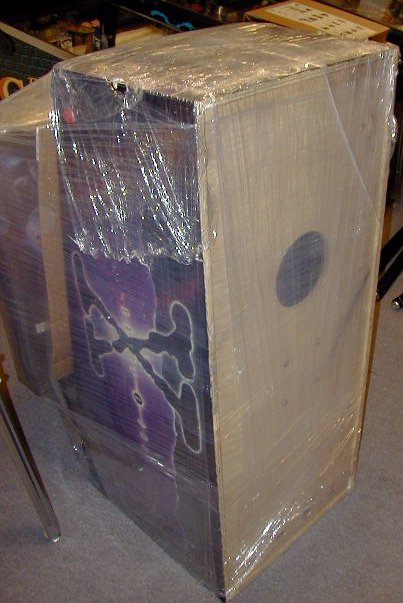
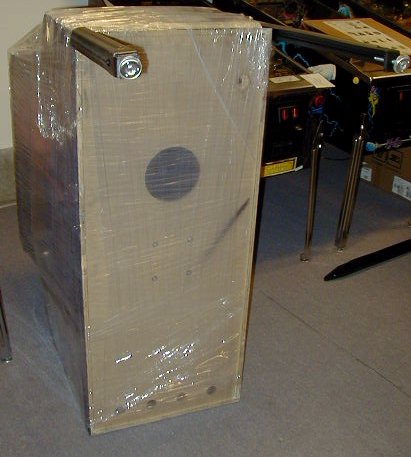
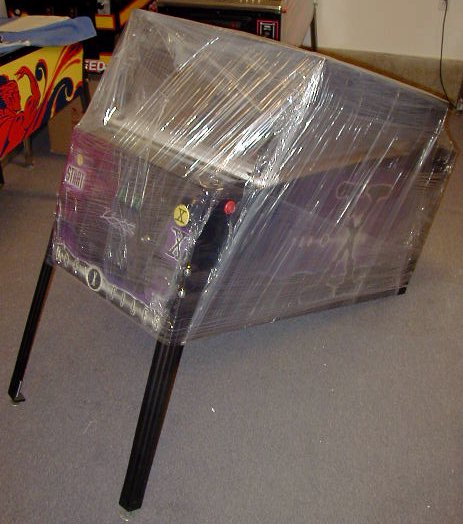
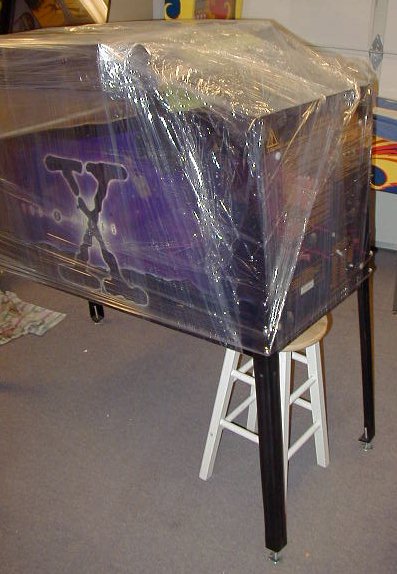
NOTE: These instructions assume your game has been packaged for shipment as shown in images below. This information is intended to help you set up your pinball machine after it has been shipped to you from our shop. Use this information at your own risk. We (Action Pinball) are not responsible for any damage to you, your location, or your game, that may result from following, or not following the instructions below.
Materials Needed:
- One or two friends to help.
- Scissors or knife.
- 5/8" and 9/16" open-end wrench, or socket wrench.
- Phillips head screwdriver.
 Click on any image below for a larger view. Click on any image below for a larger view.
 |
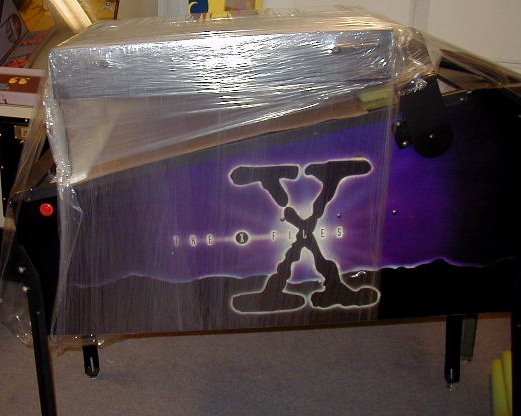
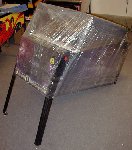
Step 1:Unpack your game to the extent shown in the image to the left. Backbox should still be secured to the main cabinet with stretch-wrap or a strap (as shown in image).
USE CAUTION when cutting away any cardboard or stretch-wrap from the game, so as not to cut through the packaging and damage the cabinet surface! Patience and neatness count in this process.
Locate the hardware (bolts, balls, keys, etc) that are packed with the game, and set aside for use during assembly. With backbox still secured to main cabinet (in its "down" position), position the game so that it is sitting on it's back end, coin door facing up, as shown in image. |
 |
Step 2:Locate the front legs. These are the legs with the leg levelers (feet) that are screwed all the way in. (Back legs will have the leg levelers screwed OUT an inch or two- so that the game sits higher in the back, than in the front). If your game was packaged in a factory carton, the legs may be packed in the cardboard packing that goes in the corners of the box.
Using four leg bolts (included with game hardware), attach the two front legs to the front of the main cabinet. Each leg uses two bolts. There should be two holes on either corner edge of the front of the main cabinet where the legs will mount. If you have a set of our Leg Protector Pads, be sure to install them behind each leg before you bolt the legs to the cabinet.
IMPORTANT NOTE ON INSTALLING LEG BOLTS: Do not let the weight of the machine rest on the leg & leg bolts as you are installing/tightening the bolts. This can cause the leg bolts and/or leg plate inside the game to strip, which can require a costly repair. Support the weight of the game, and the leg itself, separately, while you are installing the bolts. They should turn freely by hand as you are installing them. Do not force leg bolts.
The leg bolts will require either a 9/16" or 5/8" wrench to tighten them. Tighten the bolts so that they are snug but do not overtighten- we recommend "wrist tight", which is a tight as you can comfortably turn a wrench using only your wrist. Legs need to be snug, but do not need to be overtightened- it is easy to strip the bolts or threads inside the cabinet that hold the bolts, which can require costly repair. |
 |
Step 3:Lower the front of the machine to the ground, so that the front is sitting on the legs you just installed. |
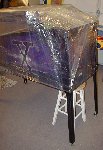 |
Step 4:With one or two helpers, lift the back end of the machine off the floor, and have helpers hold it, or place it's back end on a stool, as shown in image.
Using the remaining four leg bolts, attach the back legs, just as you did the front legs. DO NOT OVER-TIGHTEN!
Remove stool- set back of game down on it's legs, on the floor. |
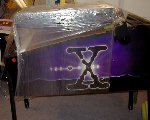 |
Step 5:Using scissors or a knife, carefully cut away or remove any packing material holding the backbox down (stretch-wrap and/or strap). Be very careful not to cut or scrape/scratch the game when cutting away the packing material. |
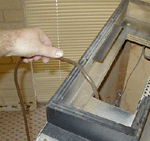 |
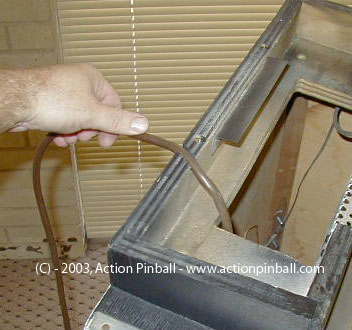
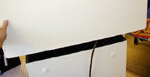
Step 6:Remove main power cord.
Through the opening at the back of the game (the "neck"), where all the wires and cables go, locate the main power cord with plug end. Pull this cord out and free, and set it in the groove on the back of the neck. Cord must be set here before raising and securing the backbox, otherwise you won't be able to plug the game in!
Use caution- do not yank or pull the cord if it won't come freely. Doing so may damage other wiring or parts inside the game. If the cord seems to be stuck, try to free it by reaching inside the "neck" of the game, or untangling it from other wires/cables in this area.
|
 |
Step 7:Raise backbox into position.
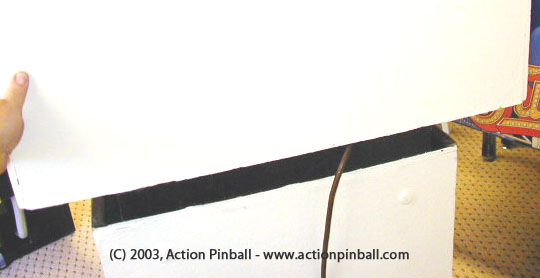
Be sure any wrapping/packaging has been removed, so that the backbox can be raised up and onto the "neck" for proper mounting. Raise the backbox up onto the "neck", being careful not to smash any cables in between the neck and backbox.
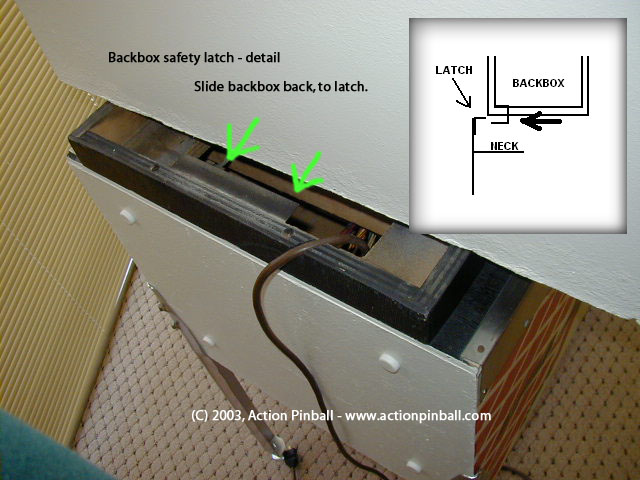
On early Bally & Stern games (pre-1980) that do not use a hinge for the backbox, manually raise the backbox up and center it as best you can- from left to right- over the main cabinet, or neck of the game. Align the back of the backbox with the back of the main cabinet as shown in the image to the left.
On later Bally & Stern games (1980-up) that DO have a hinge, simply raise the backbox to the upright position.
Have a helper securely hold the backbox in the upright position and proceed to the next step.
|
|
Step 8:
Backglass removal for backbox bolt installation.
IMPORTANT: Have a helper securely hold the backbox in the upright position while you complete this, and the next step. This will prevent the backbox from falling over or off of the game which can cause major damage or injury.
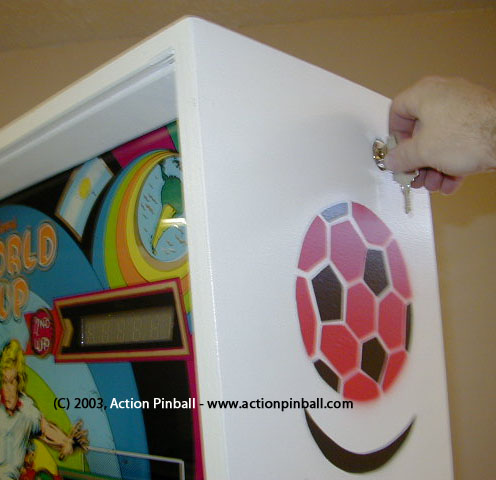
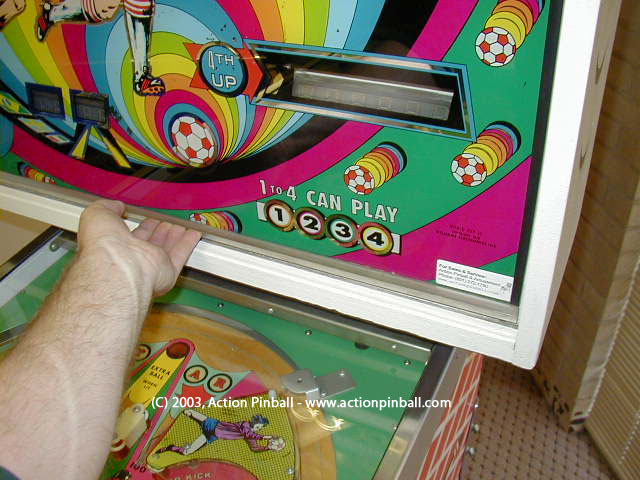
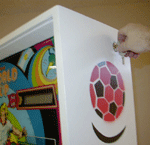
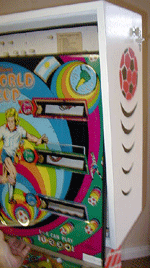
Locate the game keys and unlock the backbox. Backbox lock is located on the right side of the backbox, near the top. A 1/8 turn of the lock will unlock the backglass and allow it to be removed (see 1st image on left).
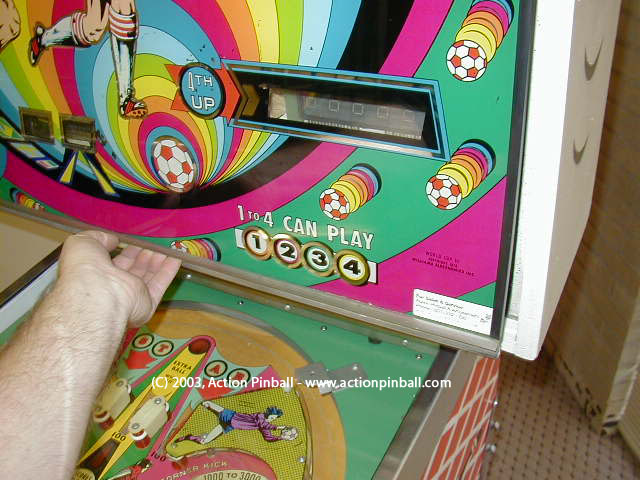
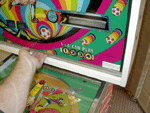
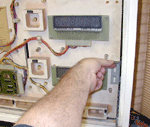
With backbox unlocked, use the metal or plastic "lift channel" at the bottom of the backglass, to lift the backglass up, as it sits in the backbox frame. With the backbox properly unlocked, the backglass should lift up about 1/2" inch, and clear the bottom of the backbox frame. (See 2nd image on left).
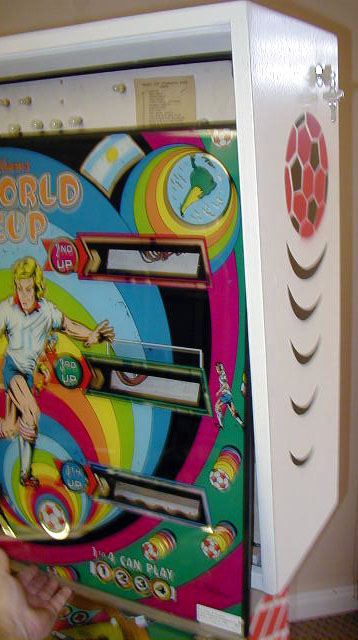
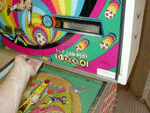
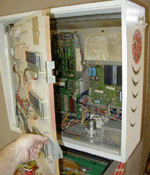
With backglass lifted up, gently pull the bottom of the backglass out, towards you, about 1-2 inches- enough to clear the backbox frame. (See 3rd image on left).
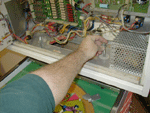
Gently lower the backglass down onto the playfield glass surface. (See 4th image on left). The whole backglass can now be picked up and set carefully aside to gain access into the backbox.
NOTE: Always use great care when handling the backglass on any pinball machine. Backglasses are very fragile and can be broken very easily. Replacement backglasses can also be very expensive, and difficult, if not impossible, to locate. Always use caution!
|
|
Step 9:
Backbox bolt installation.
IMPORTANT: Have a helper continue securely holding the backbox in the upright position while you complete this step.
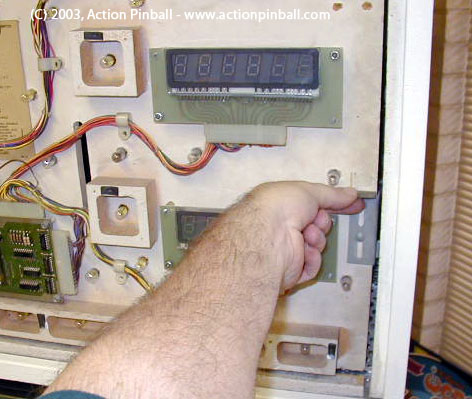
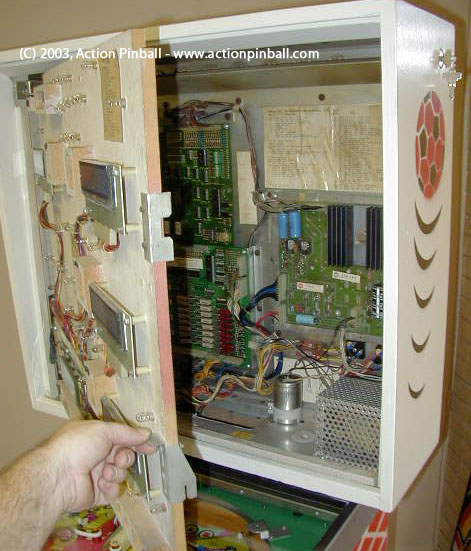
On the insert door panel behind the backglass, locate the TWO latches along the right side, which keep the insert (score display panel) door closed. If your game was shipped to you, these latches may be secured tight with the screws that go through them, and may requiring a bit of loosening with a phillips-head screwdriver to allow the latches to be released.
Lift the latches, and open the insert panel door, which will swing out to the left, to allow you access to the inside of the backbox.
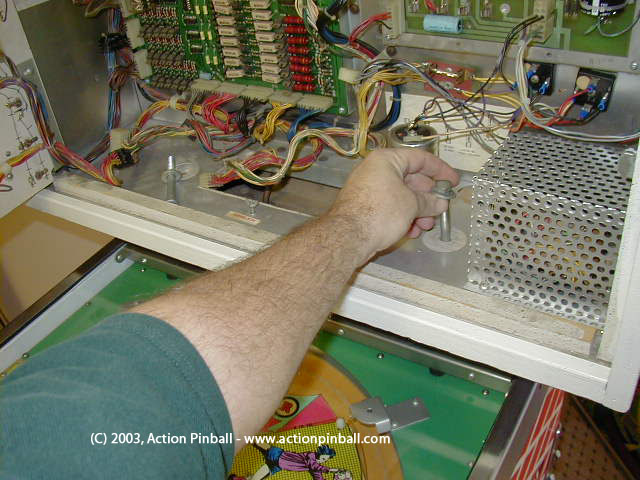
You should have 2 or possibly 4 backbox bolts (depending on the game) with your game's parts/accessories. Locate these and drop them into the bolt holes on the bottom panel of the backbox interior, as shown in the 2nd image at the left.
You may need to wiggle each bolt around a bit in order to find the threads under the backbox, that the bolts will screw into. Make sure the bolts are going STRAIGHT into the threads with ease, and not being stubborn or difficult to turn. If the bolts are leaning to the left/right, or forward/backward, you will need to re-position (align) the backbox accordingly, to try and line the holes up as straight as possible, so that the bolts will screw STRAIGHT down into the threads underneath the backbox with no resistance (see Step 7 above).
Once the backbox is aligned and bolts are going straight down to their threads, start each bolt by hand into the threads (a couple of turns) to make sure they are screwing in and not cross-threaded.
Once the bolts are screwing in okay, you can use a 9/16" wrench to tighten them down "wrist tight".
PLEASE USE CAUTION IN THIS STEP as it is very easy to cross-thread the bolts in the backbox. Do not force the bolts, especially if you can tell they are not threading properly. If a bolt gets cross-threaded and/or stripped, it may not be able to be removed, and/or can result in a costly repair job.
Take a moment at this point to make sure all the cables and cable connectors in the backbox are secure, and fastened properly to their appropriate locations on the circuit boards and assemblies in the backbox, and that none have come loose during shipping/handling.
|
 |
Step 10:
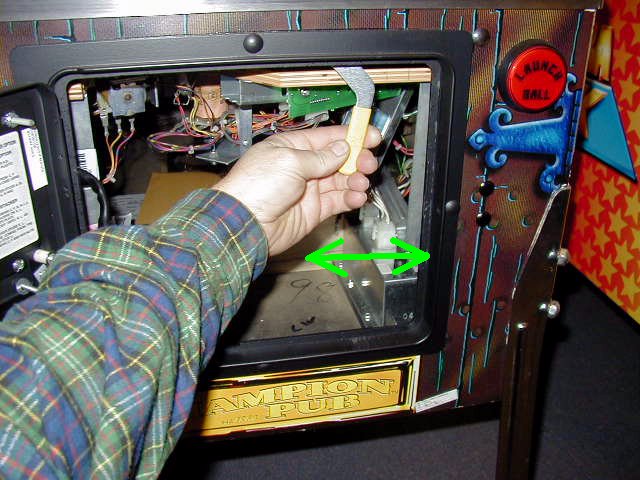
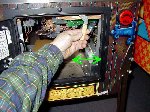
Open the coin door and locate the playfield glass lockdown bar release lever, just inside the upper right corner of the coin door opening.
Pull lever to the left to release the playfield glass lockdown bar. Remove the lockdown bar and set it aside. You may have to hold the lever in the leftmost position in order to remove the lockdown bar, on some games (if it is spring-loaded). |
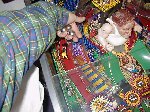 |
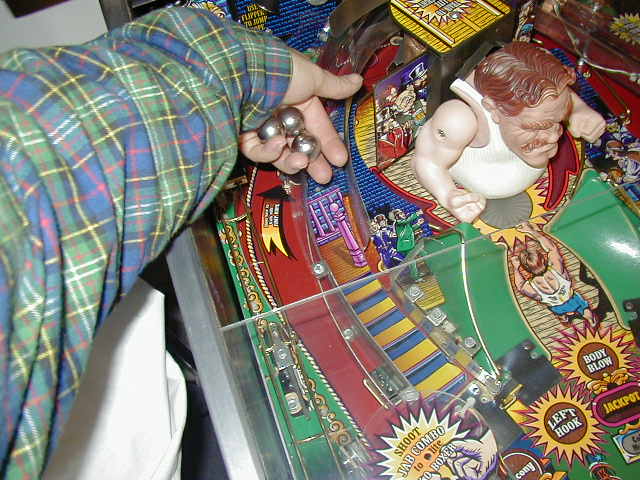
Step 11:Locate pin ball(s). Pull playfield glass down a short distance and place the pin ball(s) on the playfield surface and let them roll down to the outhole. Different games will use a different number of balls- anything from one to six balls, usually. If you are not sure how many balls your game should use, check for a label under the playfield glass lockdown bar which will indicate the number of balls to install, or contact us.
Slide playfield glass back up. Replace lockdown bar (you may have to slide the lockdown bar release lever back to the left position to replace the bar). Then lock the bar in place by sliding the release lever back to the right position. Lever must go all the way to the right in order for the coin door to close. Close coin door. |
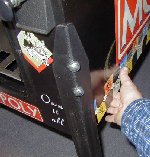 |
Step 12:Plug line cord (located on back of machine) into a grounded outlet- or better yet- plug into a surge-protected power strip.
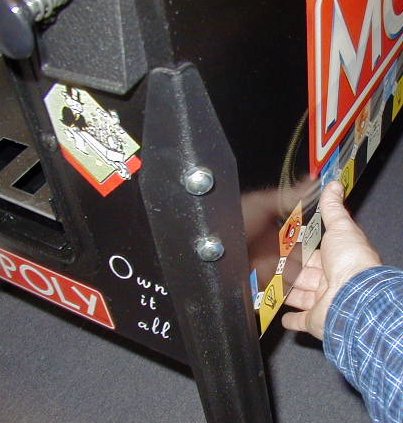
Turn game on by the main power switch. This switch is located under the front right corner of the main cabinet (behind front right leg) on the bottom side of the main cabinet (see picture). It is in a recessed hole on the underside of cabinet. Flip switch to the ON position, and verify that the game powers up and score display lights, playfield lights flash, etc.
If you have any problems or questions- DO NOT GUESS- contact us immediately!
|
You are now ready to play!
Game Levelling: You may need to level the game from side to side, depending on how the leg levelers are set on the legs, or on the evenness, or un-evenness of your floor. You can "eyeball" the game for level from side to side, or use a bubble level, in two positions- across the front of the machine, and across the back of the machine. Adjusting the leg levellers on the legs will allow the game to be properly levelled.
If you notice the ball rolling more to one side than the other during play, you may need to adjust the leg levellers to re-level the game.
Raising the back of the game (by adjusting leg levellers out (or "down"), on the back legs) will make the angle of the playfield steeper, and cause the ball to roll faster, and game play to be more difficult.
Lowering the back of the game (by adjusting leg levellers in (or "up"), on the back legs) will make the angle of the playfield less steep, and cause the ball to roll slower, and game play to be easier.
You may want to get someone to help lift one corner of the game up slightly while you adjust each leg leveller.
Game Keys: Your game will have two keys, or two sets of keys- one for the coin door, and one for the backbox. The keys for the backbox can be stored on a hook on the inside of the coin door- usually mounted in the lower left front inside corner of the main cabinet on Bally & Stern games.
Keys for your game should be kept in a safe place. No one should need to get into the machine for any reason other than for maintenance/service, etc. And high voltage is present inside the game, so best to keep coin door locked and keys in a safe remote place to keep unwanted hands and fingers out of the machine.
Other Information: Consult the game manual that was included with your machine for additional information on game operation, how to raise/lower the playfield, how to open the backbox, how to make adjustments to game settings, options, or volume, etc. And of course, if you have any questions that you cannot find answers for, just call or e-mail us! We'll be happy to help!
If you have any questions, problems, or require any additional information, please contact us.
Back to Top
|

 Game Setup & Assembly Information