Quick Links:
- Home Page
- Game Parts & Supplies
- Games for Sale
- Ordering Info
- Technical Articles
- Game Service & Repair
- Contact Us
|
|
 Electro-Mechanical Pinball Games (pre-1978) Electro-Mechanical Pinball Games (pre-1978)
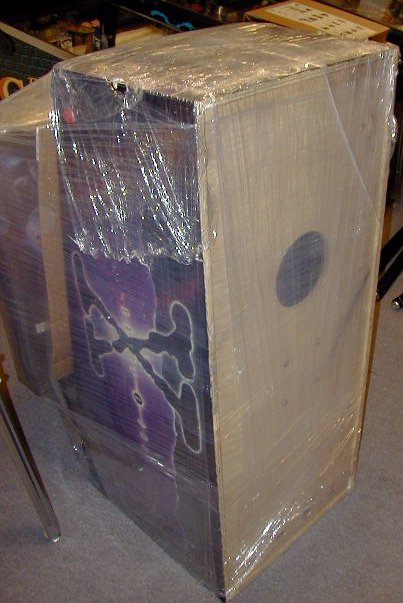
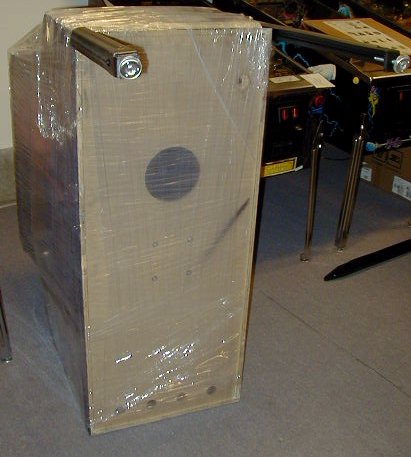
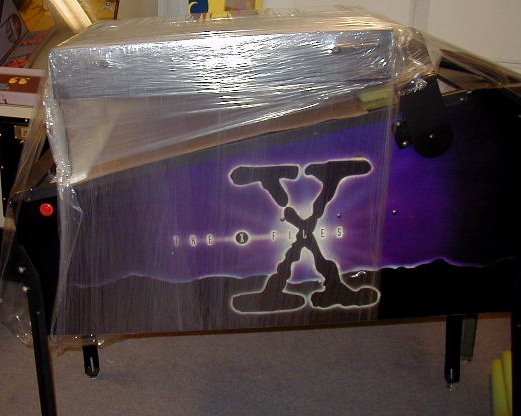
NOTE: These instructions assume your game has been packaged for shipment as shown in images below. This information is intended to help you set up your pinball machine after it has been shipped to you from our shop. Use this information at your own risk. We (Action Pinball) are not responsible for any damage to you, your location, or your game, that may result from following, or not following the instructions below.
This document is intended to cover all makes of electro-mechanical pinball games built before approximately 1977/1978. Due to some minor differences between makes and models over the decades, some differences from your exact game may be apparent in the instructions below. So if you have any questions or need any additional information, just e-mail us.
Materials Needed:
- One or two friends to help.
- Scissors or knife.
- 5/8" and 9/16" open-end wrench, or socket wrench.
 Click on any image below for a larger view. Click on any image below for a larger view.
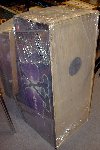 |
Step 1:Unpack your game to the extent shown in the image to the left. Backbox should still be secured to the main cabinet with stretch-wrap or a strap (as shown in image).
USE CAUTION when cutting away any cardboard or stretch-wrap from the game, so as not to cut through the packaging and damage the cabinet surface! Patience and neatness count in this process.
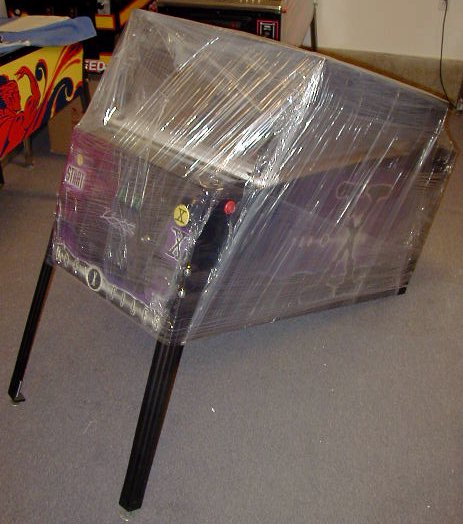
Locate the hardware (bolts, balls, keys, etc) that are packed with the game, and set aside for use during assembly. With backbox packaged face-down on main cabinet, position the game so that it is sitting on it's back end, coin door facing up, as shown in image. |
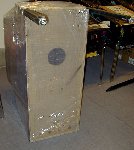 |
Step 2:Locate the front legs. These are the legs with the leg levelers (feet) that are screwed all the way in. (Back legs will have the leg levelers screwed OUT an inch or two- so that the game sits higher in the back, than in the front). If your game was packaged in a factory carton, the legs may be packed in the cardboard packing that goes in the corners of the box.
Using four leg bolts (included with game hardware), attach the two front legs to the front of the main cabinet. Each leg uses two bolts. There should be two holes on either corner edge of the front of the main cabinet where the legs will mount. If you have a set of our Leg Protector Pads, be sure to install them behind each leg before you bolt the legs to the cabinet.
IMPORTANT NOTE ON INSTALLING LEG BOLTS: Do not let the weight of the machine rest on the leg & leg bolts as you are installing/tightening the bolts. This can cause the leg bolts and/or leg plate inside the game to strip, which can require a costly repair. Support the weight of the game, and the leg itself, separately, while you are installing the bolts. They should turn freely by hand as you are installing them. Do not force leg bolts.
The leg bolts will require either a 9/16" or 5/8" wrench to tighten them. Tighten the bolts so that they are snug but do not overtighten- we recommend "wrist tight", which is a tight as you can comfortably turn a wrench using only your wrist. Legs need to be snug, but do not need to be overtightened- it is easy to strip the bolts or threads inside the cabinet that hold the bolts, which can require costly repair. |
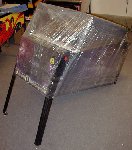 |
Step 3:Lower the front of the machine to the ground, so that the front is sitting on the legs you just installed. |
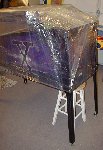 |
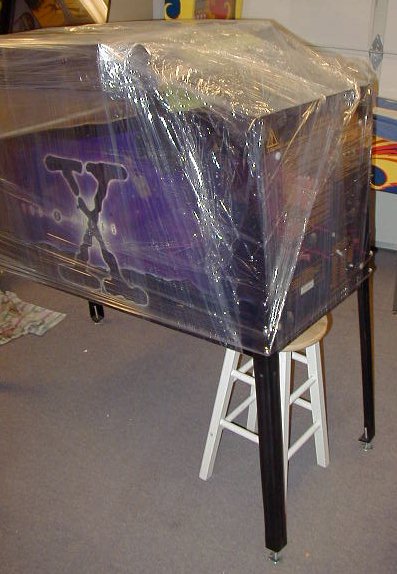
Step 4:With one or two helpers, lift the back end of the machine off the floor, and have helpers hold it, or place it's back end on a stool, as shown in image.
Using the remaining four leg bolts, attach the back legs, just as you did the front legs. DO NOT OVER-TIGHTEN!
Remove stool- set back of game down on it's legs, on the floor. |
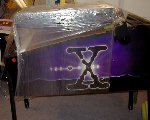 |
Step 5:Using scissors or a knife, carefully cut away or remove any packing material holding the backbox down (stretch-wrap and/or strap). Be very careful not to cut or scrape/scratch the game when cutting away the packing material. |
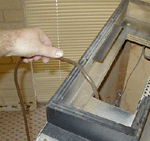 |
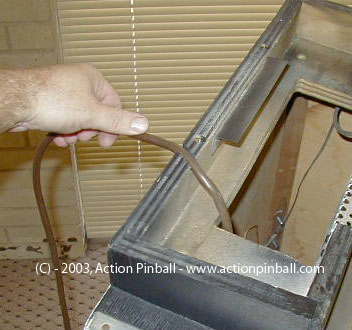
Step 6:Remove main power cord.
Through the opening at the back of the game (the "neck"), where all the wires and cables go, locate the main power cord with plug end. Pull this cord out and free, and set it in the groove on the back of the neck. Cord must be set here before raising and securing the backbox, otherwise you won't be able to plug the game in!
Use caution- do not yank or pull the cord if it won't come freely. Doing so may damage other wiring or parts inside the game. If the cord seems to be stuck, try to free it by reaching inside the "neck" of the game, or untangling it from other wires/cables in this area.
|
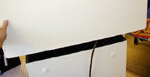 |
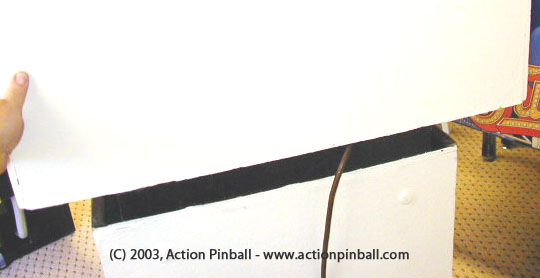
Step 7:Raise backbox into position.
Be sure any wrapping/packaging has been removed, so that the backbox can be raised up and onto the "neck" for proper mounting. Raise the backbox up onto the "neck", being careful not to smash any cables in between the neck and backbox.
Manually raise the backbox up and center it as best you can- from left to right- over the main cabinet, or neck of the game. Align the back of the backbox with the back of the main cabinet as shown in the image to the left.
Have a helper securely hold the backbox in the upright position and proceed to the next step.
|
|
Step 8:
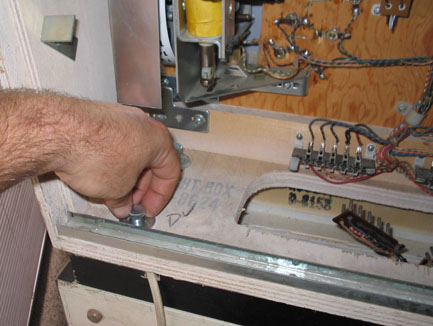
Open rear door on backbox and install bolts to secure.
IMPORTANT: Have a helper securely hold the backbox in the upright position while you complete this step. This will prevent the backbox from falling over or off of the game which can cause major damage or injury.
Locate the game keys and find the one for the lock on the backbox door (on back side of the backbox- usually at top center of the metal door). Unlock the backbox and remove the metal door to gain access to the backbox interior.
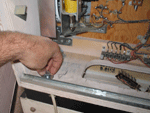
Locate the 4 bolts and washers that are used to secure the backbox to the main cabinet. Insert a bolt in each of the 4 holes in the panel on bottom of backbox interior, as shown in image to the left.
Start each bolt gently by hand to make sure that it is threading into the internal nut without binding or cross-threading. You may need to wiggle each bolt around a bit in order to find the threads under the backbox, that the bolts will screw into. Make sure the bolts are going STRAIGHT into the threads with ease, and not being stubborn or difficult to turn. If the bolts are leaning to the left/right, or forward/backward, you will need to re-position (align) the backbox accordingly, to try and line the holes up as straight as possible, so that the bolts will screw STRAIGHT down into the threads underneath the backbox with no resistance (see Step 7 above).
Once the backbox is aligned and bolts are going straight down to their threads, start each bolt by hand into the threads (a couple of turns) to make sure they are screwing in and not cross-threaded.
Once the bolts are screwing in okay, you can use a 9/16" wrench to tighten them down "wrist tight".
PLEASE USE CAUTION IN THIS STEP as it is very easy to cross-thread the bolts in the backbox. Do not force the bolts, especially if you can tell they are not threading properly. If a bolt gets cross-threaded and/or stripped, it may not be able to be removed, and/or can result in a very difficult and costly repair job.
Backbox should now be secured to the main cabinet. Check to make sure it is snug and not loose.
|
|
Step 9:
Connect wiring harness connectors in backbox.
NOTE: Backbox cable connectors may already be connected in your game if it was shipped with the connectors in place. Some games require them to be removed when laying the backbox down, but most will allow them to be left in place. If your cable connectors are in place, you may skip this step. Although it is a good idea to read through this step anyway to ensure that all connectors are in fact in place, and to familliarize yourself with these connectors should you ever need to disassemble your game in the future.
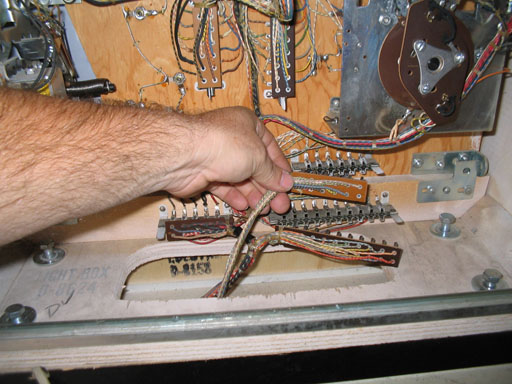
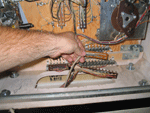
Locate the connector receptacles in the backbox. These are usually at the lower center area of the backbox mechanism panel. Most games will have 3 to 5 individual cable harness connectors/plugs that will plug in at this location.
Reach down into the main cabinet- through the "neck"- and locate the backbox cables which should be hanging loose in the bottom/back of the main cabinet. Gently pull each one up through the "neck". If you encounter any resistance when pulling a cable, make sure it is not catching on any of the parts in the main cabinet- free any cables by hand before continuing to pull them up through the "neck". If you cannot free a cable, it may be necessary to remove the playfield glass, and raise the playfield, to gain access to the stuck cable inside the main cabinet.
Determine which connector goes to which receptacle in the backbox. Most all electro-mechanical games will have different sized connectors with different numbers of wires/pins so you cannot mix them up. However, there are a few games that do have two of the same connector which can allow you to mis-connect them (1976 Williams Little Chief is one of these). So be sure to properly identify each male/female connector pair before plugging any in to the receptacles (female side of connection) in the backbox. If you have any questions or problems, please ask- damage or incorrect operation of the game may result if cables are not correctly connected.
Press each connector plug into the receptacle firmly to ensure it is fully seated and connected.
Check your work to make sure all receptacles have a connector installed, and that they are all firmly seated and connected.
It is also a VERY good idea to check the cables in the main cabinet after plugging into the backbox, to make sure they are not catching on any mechanisms, electrical parts, or moving parts in the main cabinet. To do this, you can look down through the hole in the "neck" of the back of the game (using a flashlight) or better- remove playfield glass and raise playfield to check visually from the front of the game.
|
 |
Step 10:
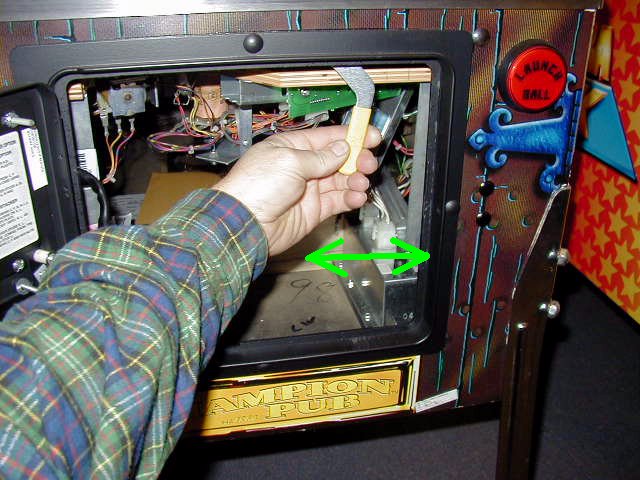
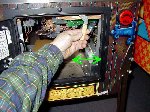
Open the coin door and locate the playfield glass lockdown bar release lever, just inside the upper right corner of the coin door opening. On Gottlieb games, this lever is in the top center of the coin door opening, and is not visible when it is in the closed (up) position- pull it down to release the lockdown bar.
Pull lever to the left (down, on Gottlieb games) to release the playfield glass lockdown bar. Remove the lockdown bar and set it aside. |
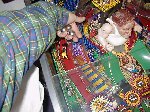 |
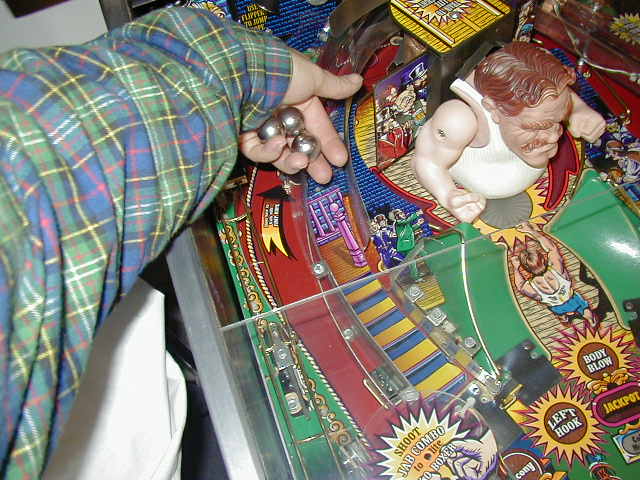
Step 11:Locate pin ball(s). Pull playfield glass down a short distance and place the pin ball(s) on the playfield surface and let them roll down to the outhole.
Different electro-mechanical games will use a different number of balls- usually one, but some will use up to 5 balls. If you are not sure how many balls your game should use or how many it was shipped with, please contact us. Using the incorrect number of balls in a game (too many or too few) can cause the machine to malfunction.
Slide playfield glass back up. Replace lockdown bar (you may have to slide the lockdown bar release lever back to the left position to replace the bar). Then lock the bar in place by sliding the release lever back to the right position (press it all the way up and out of sight on Gottlieb games). Lever must go all the way to the right in order for the coin door to close. Close coin door. |
 |
Step 12:Plug line cord into a wall outlet. Line cord is located on back of machine.
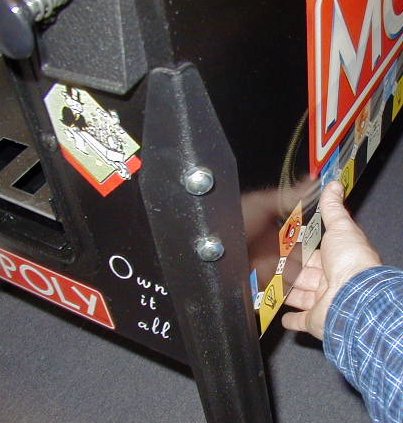
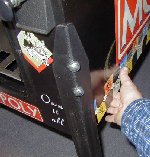
Turn game on. Most electro-mechanical games built from late 1960's on up will have a main power switch located under the front right corner of the main cabinet (behind front right leg) on the bottom side of the main cabinet (see picture). It is in a recessed hole on the underside of cabinet. Flip switch to the ON position (some games may use a push on/push off button switch), and verify that the game powers up and lights come on.
Early electro-mechanical games may not have a main power switch, but will instead use the left flipper button to "turn on" the game, once it has been plugged in. So check for this feature if your game does not have a main power switch. (To turn off a game without a power switch, you can simply unplug it, or some had a feature where the game could be "tapped" off by bumping the panel on the bottom of the main cabinet with your fist). If you have any questions about this process, please contact us.
Gottlieb games are designed so that only the backbox lights come on when game is powered on, and the "TILT" light will be lit. Simply starting a game (inserting a coin or pressing start/credit button) will allow the remainder of the game to "come on" in full. This is just a quirky nuance of strange Gottlieb design....
If you have any problems or questions- DO NOT GUESS- contact us immediately!
|
You are now ready to play!
Game Levelling: You may need to level the game from side to side, depending on how the leg levelers are set on the legs, or on the evenness, or un-evenness of your floor. You can "eyeball" the game for level from side to side, or use a bubble level, in two positions- across the front of the machine, and across the back of the machine. Adjusting the leg levellers on the legs will allow the game to be properly levelled.
If you notice the ball rolling more to one side than the other during play, you may need to adjust the leg levellers to re-level the game.
Raising the back of the game (by adjusting leg levellers out (or "down"), on the back legs) will make the angle of the playfield steeper, and cause the ball to roll faster, and game play to be more difficult.
Lowering the back of the game (by adjusting leg levellers in (or "up"), on the back legs) will make the angle of the playfield less steep, and cause the ball to roll slower, and game play to be easier.
You may want to get someone to help lift one corner of the game up slightly while you adjust each leg leveller.
Game Keys: Your game will typically have two keys, or two sets of keys- one for the coin door, and one for the backbox. The keys for the backbox can be stored on a hook on the inside of the coin door on most games.
Keys for your game should be kept in a safe place. No one should need to get into the machine for any reason other than for maintenance/service, etc. And high voltage is present inside the game, so best to keep coin door locked and keys in a safe remote place to keep unwanted hands and fingers out of the machine.
Other Information: Consult the game manual that was included with your machine (when available- many games prior to 1972 did not have manuals published for them) for additional information on game operation, how to raise/lower the playfield, how to open the backbox, how to make adjustments to game settings, options, or volume, etc. And of course, if you have any questions that you cannot find answers for, just call or e-mail us! We'll be happy to help!
If you have any questions, problems, or require any additional information, please contact us.
Back to Top
|

 Game Setup & Assembly Information